Category

Blog

Union Jack Club Projection

Projection and Live Streaming

By Blog, Blog Post, Video, Video Production

Overview 

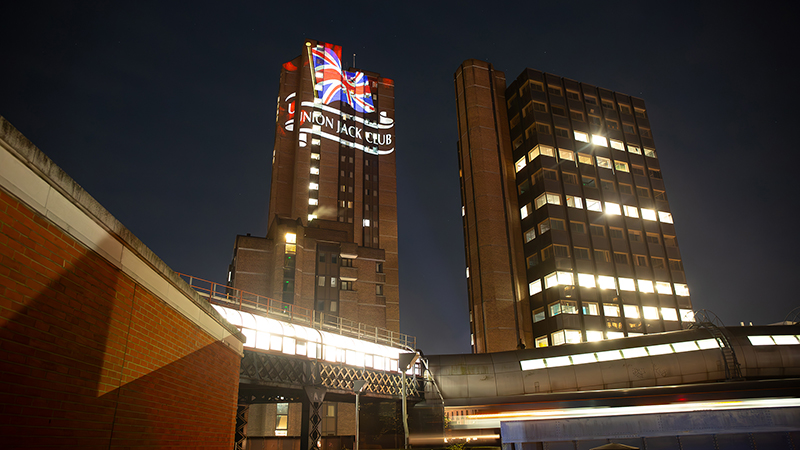
The Union Jack Club approached us to assist with the live streaming of a projection mapping project on the exterior of their building for Remembrance Day 11/11/23. The live stream needed to be directed to the UJC’s website only. This project required an extended specialist team to achieve this objective.

Watch 

Production 

Because the live-streaming was to take place from two locations, this meant that specialist mixing technologies were required.  

The UJC secured the location for the projection mapping, to be carried out by Motion Mapping from a nearby building Auberge on Sandell Street.  We then needed to locate two separate live-streaming locations.  This was a challenge due to other buildings affecting the visibility of the UJC even though the building is high with the projection featuring from the upper third.  Using an app, Planit Pro, allowed us to map out possible locations. Once these had been identified it was then for the team at the UJC to reach out to the facilities teams at those particular sites to enable access.

The nearby location for live-streaming was 1901 Arts Club, Exton Street and the furthest location was Centre Point, Tottenham Court Road, from a high vantage point.  Once locations were secured, it was for our live-streaming team Starlight Productions to recce the locations.  Together with inspecting technical aspects and carrying out risk assessments before signing this aspect of the project off.  There was no opportunity to carry out a trial run!

On the day of filming, the team were set up at the three locations: 1901 Arts Club, Centre Point, Auberge and inside the UJC in plenty of time for the live-stream to start at 6pm.  The projection mapping company had a holding graphic on the building and prepared itself for a 10-minute countdown.  A team member was set up with a laptop inside the UJC where the live-stream was mixed within the cloud.  In addition, sound was added for the online streaming to the website. The Military Wives Choir permitted the UJC to use their soundtrack, Remember.

Additional stills were captured of the various graphics on the building for archive and future use. 

Outcome 

The decision to live-stream to the website was to drive traffic over the weekend and the following month which was a strategic marketing decision allowing the valuable capture of data.  In addition, content was shared in advance to promote the live-streaming via e-newsletters and on social media. The live-stream was viewed worldwide from military bases and vetrans the world over.

Union Jack Club, Projection

Union Jack Club, Projection

Remembrance Projection

Remembrance Projection

Extending the way video can be used within B2B settings

By Blog, Blog Post, Video Production

Video working two ways, promotional and internal communications

Thinking beyond the obvious way business uses video in the form of promotional, instructional, case study etc can be a crucial strategic move.  Video can be used in a less tangible way through the use of emotion, reaching employees, clients, prospects and as a recruitment driver, which can be achieved creatively. 

Page & Page & Partners, a London healthcare agency wanted to do just that, driving internal communications yet simultaneously to engage with existing clients, as well as prospects. Their aim was to communicate their process, culture and how creativity is at their very core when it comes to facilitating healthcare company’s global communications.  

This is a highlights video of their “Sofa Sessions” series. As well as a subtle promotional tool it also works as a retention mechanism in terms of its employees.  It promotes how their employees are valued as individuals and as a collective promoting well-being and  providing a voice for their individual thoughts and opinions.

Video Purpose

The video series was to be added to their Media Lab (hosted on Youtube) and to PM Live T40 

How 

Limewood Productions spent 4 days on location at The Ministry in Borough, filming the team, working  in small conversational groups on the sofa! A very loose script was provided to the creatives with various topics to chat about. These were to become the “Sofa Sessions”.  We then carried out the edits from the footage and they told their story through 7 episodes:

The 1st Page  – Why we’re here 

The 2nd Page – Progression

The 3rd Page – What inspires us

The 4th Page – Our creativity

The 5th Page – Our culture 

The 6th Page – The power of communication 

The 7th Page – The 4D’s that drive our process 

Crew & Equipment

A crew of 4 using 3 cameras: 

Camera 1 wide shot 

Camera 2 on 2 people

Camera 3 tight on person

X 2 LED light panels 

Gimbal,  generated speed and movement for the intros.

The Edit 

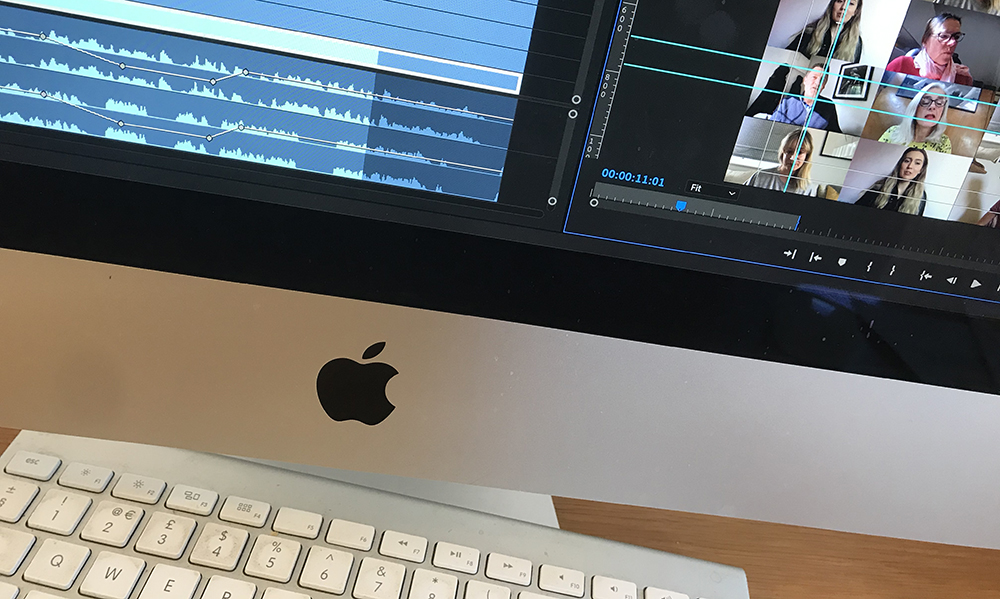
Working with their creative team we agreed on a style which could be applied to all episodes. We then selected upbeat music and fast intros for each episode.  We created a template that creatively allowed us to use text to convey messages and information. We used the full Adobe suite of software to work our magic.

Outcome

In addition to galvanising the team it allowed freedom of thought within the agency during the making of the “Sofa Sessions”. 

The “Sofa Sessions” series is a Finalist, PM Society Awards and has been shortlisted in the ‘Agency Internal communication and self-promotion’ category for an award.

Industrial Uniform Laundry Process

By Blog, Blog Post, Case Study, Uncategorized, Video Production

Objective 

To capture through filming CLEAN Linen’s ISO 9001 Quality Management Certified Laundry Process and to create video content for a range of platforms, communicating to customers and prospects. In addition to taking stills photography to support the project across different platforms. 

Process 

The client delivered a detailed brief and script that we interpreted visually for filming.

A crew of three people was required.  Two camera operators used Canon C300 Mk2 and a photographer used a Sony A9 to capture the stills. 

We used a range of equipment including a slider and gimbal. Due to the ISO specification, the crew had also to wear barrier clothing which made the physical work more challenging.

The majority was filmed on location at the Cheltenham laundry.  We spent a couple of days at this location filming the following process to tell the story. 

  • Uniforms are returned to the laundry, they are scanned and registered and sorted for damage and any foreign objects are removed. 
  • The washing process whereby full thermal disinfectant is used where dirt, bacteria and viruses are removed.
  • The laundry is then transferred to CLEAN Linen’s high care facility where a second scan and quality check are carried out, and drying and further thermal disinfection are used. 
  • Any reported damage is then investigated and repaired or garments are replaced. 
  • The garments enter the automated sorting process and then become ready for packaging to their individual requirements such as colour, size, departments etc. 
  • Garments are folded, packed and dispatched.  

Editing 

  • As this project was shot in 4K we collated a large amount of date which was stored on its own dedicated hard drives.
  • Proxy files were used to make for swift and smooth editing.
  • Editing out the interesting elements that followed the script. 
  • Text, is always challenging, to ensure that there is just the right amount of text to not distract from the content. Also ensuring the colour and tone works with the video and don’t become lost.
  • Grading is the icing on the cake. 


Video Case Studies

By Blog, Blog Post, Case Study, Uncategorized, Video Production

What are video case studies?

We hear about the power of storytelling and how this can be used as a tool for persuasion to engage.  When used well and enhanced using video, they can help generate conversions. A story-based structure are typically used for video case studies and are filmed on location and involve interviews with key people within the business.

The London Patient case study video focuses on how Hospitality Action help their people.  It also acts as a fundraiser.  this case study is also about pioneering science that has helped only the 2nd person in the world to recover from both HIV and cancer through stem cell.

Why use video case studies?

A video case study can also help set you apart from your competition, demonstrating the value you can offer whether this is product or service based.  They play out how a common or specific problem can be overcome by using your product or service, providing the solution.

Education is key, the more information you provide your potential customer, the easier their buying decision becomes. They don’t require any of the sales talk or self-promoting publicity found in other marketing.

Video case studies though factual, are more personable and travel much deeper than reviews and testimonials and therefore can be mighty powerful. Their importance has real value as they can provide real and tangible solutions that are evidence based and therefore on-going trust is built.  And without any of the sales talk or self-promoting publicity found in other marketing too.

On balance video case studies provide a richness together with other elements of your marketing mix and when engaging with video can increase its magnitude.

Video case study process

Storyboarding – this is critical to have an outline of so that the production can be planned.  This would commonly involve liaising with the marketing team or PR. 

Opening slates – with branding, helps viewers easily relate to the subject of the case study.

Identifying the problem – Identifies the issue and challenges that your business can solve, commonly achieved through video interview.

The solution itself –  A  tangible explanation as to how your business can helped solve the solution including any challenges in achieving expected results.  Identify value that is added through that process. Video interview and the location/product.

Benefits of the solution – Ensure the benefits are clear and areas that perhaps need further exploration.  Honesty of the customer about the solution provided translated in a way that evokes integrity.

Results driven –  Metrics should tie back to some form of ROI, whether that’s time-saving, money-saving, revenue creation, customer retention.

Closing slates – Contact details, website or specific web page.

Delivery Delivered in formats required for your channels.

Case Study Videos 

Chapter One at Home – Case Study 

Schneider, Wellcome Sanger Institute Case Study

William Murray – Santa Maria Spices Case Study

Hospitality Action, Video of re-branding 

Gulf Business Machines Case Study

Banque du Liban, Lebanon Case Study

CLEAN Linen and Workwear 

These videos we have produced and have been used within client case studies

The buyer’s journey and where video case studies fit

Case studies have a specific place which is towards the end of the sales funnel. They feature near the end of the consideration and early in the decision stage of the buyer’s journey. When a customer is deciding between potential solutions, the information they glean from case studies can  heavily influence.

However, earlier in the buyer’s journey, the existence of case studies has its place. Customers want to know you’ve had customers using case studies successfully. The details of the solution might not be super important initially, but whether or not you’ve helped a similar company in a similar situation can determine whether someone continues to evaluate your company as a compatible business to work with. 

Case Studies help with entering new markets

One of the biggest challenges when entering a new market is the lack of recognition for your company. Being able to enter a market with some case studies already in existence can help you overcome that initial hurdle. It’s important to focus on closing high-fit customers who result in good case studies as your early customers. 

The Takeaway

The trust buyers place in businesses and their marketing and sales materials has been trending downwards. According to Hubspot,  ‘81% of people trust their friends and family’s advice over advice from a business.’ Case studies are a brilliant method for you to present an external viewpoint on your company while still retaining some control over the narrative. They are best storyboarded, working with the company marketing or PR team.

Even though you’re producing the video case study they are about the customer and not about your business.  Your website is about your business offering, but uniquely, video case studies are about your customer and not about you.

Useful, further reading about Case studies can be found at Hubspot

The Benefits of Investing in Video 

By Blog, Blog Post, Case Study, Drone, How to, Motion Graphics, Promotional, Technology, Uncategorized

The benefits of investing in video is firmly established. Video is a necessary business tool and the manner that businesses use video is also becoming increasingly diverse and creative.  This has come about through the advances in digital and the accessibility of graphics tools and skills.  The key types of video we experience as being the most popular   are Promotional and Case Study, however there’s a wealth in between.


Social Media Content

A large part of the expense of making video is spent on location filming. So depending upon the video marketing strategy, a clever and sensible idea is to examine the content and seek to gain more through the edit process.  This can then be placed on the multitude of social media platforms to drive traffic through engagement. 

Editing Costs – Day Rates apply

Promotional 

We identify these videos as being positioned at the ‘top of the sales funnel’.  Marketing activity that feeds into the funnel at this point is about creating awareness of your company, brand, individual brands, new products and services.  This is your ‘show stopper’ video that communicated your USP’s and how your business is differentiating from its competitors.  There are many considerations here especially when it comes to the style and tactile elements. 

Typical costs can range from £3000 — £10,000 (dependent upon expectation)

Case Study

We see this featuring at the ‘bottom of the sales funnel’.  This acts as the final decision maker, generating those valuable conversions. Case studies act as rich format testimonials and can be incredibly useful when it comes to the final conversion and winning significant contracts. 

Case Studies involve location filming together with interviews and B-Roll footage, adding context.

Typical costs range from £2500 — £6000 (dependent upon expectation)

These fall into the following basic marketing models: AIDA (Attention, Interest, Desire, Action).  Content created can then be used in DRIP marketing and can be seeded through content rich methods such as blogs.  Additionally they can be used in all other forms of communication that act as a reminder.

How To 

These can be incredibly important, factual and can involve not just video but motion graphics and additional graphics related to the product or service. 

Costs depend upon what’s involved.  A simple demonstration can be £800-£1000.  More complex videos will be relative to how many days are spent.  It maybe that a series needs creating. 

Typical costs range from £800 — £2000

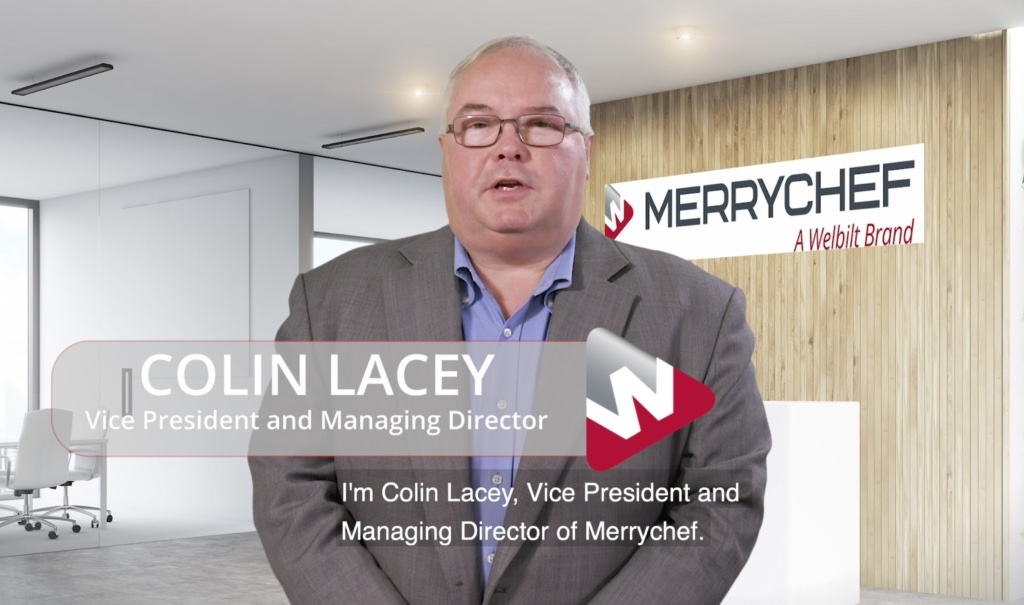
Welbilt Merrychef

Pre-records 

These have been a critical tool during the various lockdowns and the inability for teams to meet and to visit clients.  They have been a lifeline for business whether it is has been generated through Microsoft Teams and or Zoom.  Clients can provide bumpers or we create them.  They are being used in a variety of ways such as blog posts of case studies.  We believe that they’re here to stay as its’s been a way of connecting and sharing information potentially more quickly. 

Editing Costs £300-£600

Events & Conferences 

Traditionally video captured at events and conferences are used in a multitude of ways.  It’s a great way to showcase products and achieves brand awareness and presence. Capturing video footage of stands, keynote speakers, panels, and interviews can be used afterwards in marketing content for website and blogs.

Typical costs range from £1500 — £3000

Our Video Production Process, ‘A safe pair of hands’

By Blog, Blog Post, Motion Graphics, Promotional

Deciding that your business could do with video is just the beginning.  The execution of video production can be complicated and requires many considerations.  This short motion graphic is about our video production process helping clients who are wanting to engage with video but not fully aware of the process. We are a ‘safe pair of hands’ and believe our portfolio demonstrates this.  Hopefully, this demystifies and becomes a starting point when considering video for your business, whether this is promotional, ‘how-to’, case study or pre-records for a range of platforms.

Our Process

  •  We Listen, Learn and Understand
  •  Brief creation – Your Approval
  •  Script creation – Your Approval
  •  Storyboard creation – Your Approval
  • Manage the Pre Production – Your Approval
  • Filming
  • Editing – Your Approval
  • Completion

Video Purpose

  • Promotional videos are used for a new product, service or company overview.
  • Case study videos help generate conversions.
  • How-to videos are effectively digital manuals.
  • Pre-records have become brilliant workarounds in terms of engagement and are likely here to stay, post COVID.
  • Location: Interviews, Events, conference, competition etc
Zoom on Computer

Zoom – Prepare for your Zoom interview

By Blog, How to

TIPS TO HELP

 ‘Present yourself as you want to be seen.’

  • Present yourself as you want to be seen  Even if you are working from home. Even if you are working from home, avoid the t-shirts and the bad hair day. If it’s been recorded you may have to live with the image for some time to come.
  • Talking to the camera  If you are presenting, always keep eye contact with the camera. Your audience is watching. If your eyes wander around the room you, stop engaging with your viewer and they will wander around your room.
  • Stay on script  If you have written a piece that you intend to present, then have it on screen just below the camera. Do not print it out or put on to another screen.
  • Be Prepared  Read the script through a couple of times before you do your presentation. You don’t want to appear to be reading from a script.
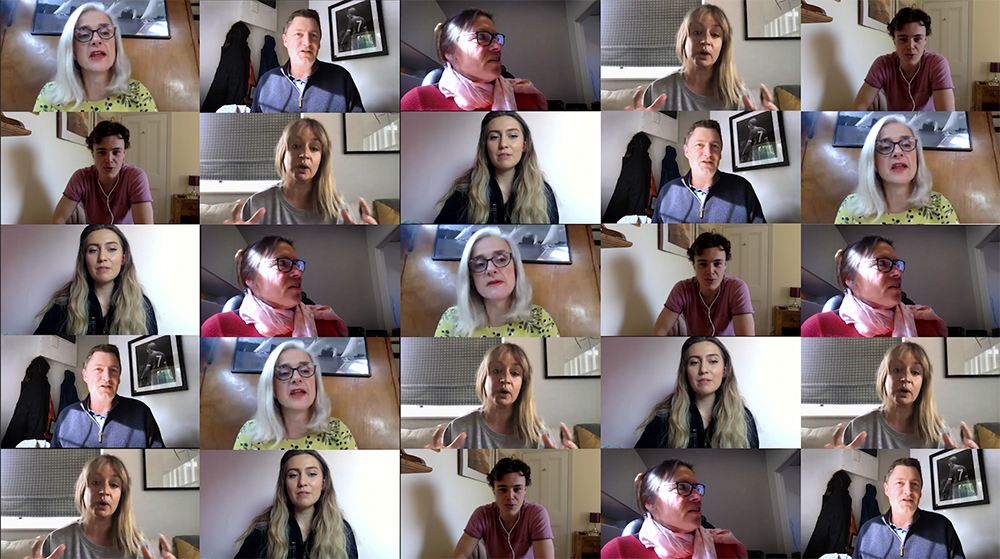
Zoom Grid

Zoom Grid

THE BACKGROUND

  • The background should be fairly simple and uncluttered.
  • If you want your bookcase, tidy it up.
  • Turn your computer camera on and check the view of the room.
  • Untidy book shelves or lots of coats on doors doesn’t look great.  So spend a little time smartening the background up. Maybe hang a picture if you have a blank wall that is fairly innocuous (see the different examples).

THE TECHNICAL STUFF

  • Obvious but true  Ensure you have a good internet connection. Help yourself by setting up as close to the router as possible. If you can hardwire your computer (ethernet cable) into your router, this always helps and avoids those pesky WIFI issues.
  • Kick the kids off!  When you are online try and make sure that you have few devices on the internet as possible. Some routers will prioritise devices, it might not be the one you are using.
  • Conduct your interview on the computer Do your interview on your computer, not a mobile device and set the angle of the camera to have your whole head in frame. But make sure it’s not looking up your nose!
  • Lighting This is important. Do not have a window or lamp/ lightbulb behind you. The camera will adjust for the light and you will be a silhouette. A much better idea is to put a diffused light behind the camera or even bounce it off the wall behind the camera.

QUICK REMINDER

  • Present yourself well
  • Look at the camera when talking
  • If you are reading, try to look natural
  • Make sure the background is tidy
  • Be as close to the router as possible
  • Use an ethernet cable if possible
  • Make sure your head is fully in shot
  • No lighting behind you
  • Plenty of diffused lighting behind the camera


Phanatom Pro

Drone – Overview for obtaining your commercial Licence

By Blog, Drone

Setting yourself up for working with drones can be a daunting process, especially when you start out.

With recent issues around airports relating to drones, it has caused a re-think in how the CAA works and interacts with drone pilots.  Now larger restrictions are in place around airports and other airspace users, as well as the public being more aware and subsequently disliking drones, due to the bad press.  Also, everyone now needs to take an online test and register their drone.  If you are looking to use a drone commercially, this might not be such a bad thing, as it should reduce the amount of people using drones without due care and attention.

Want to fly your drone commercially?

If you want to take the next step and use your drone commercially, you will need to acquire a full drone licence, a PFCO (Permission for Commercial Operation). This will need to be attained by completing a theory and practical assessment, then submitting your operational manual to the Civil Aviation Authority (CAA), plus paying your annual fee and insurance documents.

The theory and practical course can be completed through a number of organisations and companies. I chose to use Coptrz’s for the following reasons; firstly, they were running the courses from a local location to me.  Secondly, they had a thorough and very comprehensive course. Finally, everything was clear to understand and provided a good insight into using your drone for commercial purposes.

The Course

The course lasted four days. The first two days were theory based (slightly reminded me of being back in the classroom at school, but much more fun!), being led by an instructor and learning all the ins and outs of drone operations theory. There was a lot of information to take in, but it was really useful to understand what is required of a commercial drone pilot.  The instructor gave an in depth knowledge and insight into what was needed to complete commercial work. Whether it’s looking at the airspace around your working location, people and possible surrounding hazards.  In addition the dos and don’ts of creating all the appropriate documentation for the flight plan including Risk Assessments.

Day three, the theory test.  If this part was failed you couldn’t complete the practical test on the following day, you can retake the test at a later date.  Thankfully I passed first time!  Very similar to a car theory test, which, when, at the time of my completion was multiple choice. ABCD options to a number of questions, every 6-8 questions covering a different topic of drone theory. I think it was 64 questions with an hour and a half time limit. The topics varied from drone practice, health and safety, reading navigational maps, aeronautical maps and the principles about your equipment, among other things. Upon passing I moved onto the next step, which was the flight assessment.

The Flight Test

After passing the theory test we were taken through the finer details of a flight plan and everything that needed to be completed in a practical and written sense prior to a flight, as we had learned through the theory.  We were also talked through manoeuvres that would need to be completed, as in a driving test, while discussing safe distances etc.  This allowed us to understand the full detail of everything we had learned, putting it into practice, as if it was for our first commercial client.  This enabled us to understand and implement everything we had learned, which was of a great benefit. Finally, the fourth day, the practical assessment. We each had 20 to 30 minutes slots in which to complete the manoeuvres, again like a driving test.  Plus anything extra the invigilator requested during the examination. There wasn’t a time restriction on how long the assessment took, as long as it was being done safely and the manoeuvres were completed correctly. An example of an invigilator’s extra request could be, “Someone has walked into your airspace that is not under your control.” What should you do?  The answer is to move the drone out the persons range (50M away while in flight), another example could be “Calibrate the compass of your drone”.  One important note here is that if you have a drone that has an “ATTI” mode function, you will have to demonstrate that you can operate your drone in this mode safely and following certain additional manoeuvres.

Like on a driving test there are minors and majors. If you get a major, you fail the test. On completion of the test you are invited back to the office, where you will have a debriefing, discussing how the test went, any points to maybe work on and whether you passed or failed.  I am very pleased to say that I passed my flight test and have now been flying commercially for a year.

The fantastic parts I found for using Coptrz were detailed worksheets, this helped with ingesting all the written information you need to learn, for the theory test, as well as the written documents you need to produce for a commercial flight.  The most important part was the contacts you acquire with the team and especially the instructor, even after completing the course. This has enabled me to, more than once, contact them with small queries when starting out commercially, which has been excellent.  This is important because it gives you that extra security, and really helps you start on your journey of becoming a drone pilot and doing commercial work. The customer service is second to none and gives you support which helps make you feel safe in the knowledge that you fully understand and have everything you need to create fantastic and exciting imagery for your clients.

Is a great site for beginners to gain knowledge before starting their course

By John Sheppard
 

Motion Graphics, communicate through Motion Graphics

By Blog, Motion Graphics

At a time when location filming is challenging for a variety of reason including social distancing during COVID-19 motion graphics can provide a solution.  Communication at any time is vital, now more than ever.  It’s  critical to be communicating with those who make up your community, all helping to maintain your business.

Concise and succinct motion graphics can help communicate your organisations vital messages. These maybe a complete mixed bag: stories, business solutions, ‘how to’, soft marketing messages or simply reassurance to customers, employees and suppliers; sharing your values.

The under pinning consideration is that any created content is relevant, creative and engaging, this requires thought but effectively  compliments your marketing communications.  This can be created from scratch or can re-purposed from existing content using video or/and stills,  combined with your marketing messages.

Stories will play a huge role in the healing process during and post COVID-19. Staying connected will help maintain relationships and your business.

Filming Eyes, how to film eyes

By Blog, How to

Filming Eyes

The filming of a person’s eyes would appear simple and straightforward, however, this is not the case. When you see TV Adverts like the one below by Vision Express, a simple 5-10 second clip is actually quite complicated.

If you are looking to try to create a similar effect, then take a look at our 5 Tips:

1. Lighting 

The first element of creating the shot is ensuring you’re using the correct lighting. This is key and will have a huge influence on the end results. The main aim is to ensure you have constant lighting. Daylight is good, but how can you necessarily keep it constant during your filming period? For constant lighting, we would suggest either tungsten or LED light panels. For our latest project, the latter was our lighting choice, although don’t forget how harsh those lights can sometimes be! (we will examine lighting in a later Blog)

2. Model

This is another key part of the process and success. You need to select your model carefully and for them to be relevant to your target audience. Then, depending upon the video you’re producing as to whether hair and make-up are required. This can vastly change the outcome of your shot and can be a real headache if not dealt with properly at the time. Remember the devil is in the detail.

3. Camera

You could acquire the most expensive camera for filming. In this instance, however, this isn’t necessary and depending upon your budget and the end result required, you can select from a range of cameras. The TV advert shown above would have used very expensive equipment, lighting and post-production. We selected a 5D Mark IV for the results we required.

4. Post-Production

We use Adobe After Effects and Adobe Premiere Pro for our post-production work. We find that After Effects allows you to create smoother transitions than Premiere. For example, in the case of our eye clip, we imported into After Effects and create the movement via keyframes. Then creating an easy ‘in and out’ we start zooming into the eye slowly and gradually build in speed as we near the pupil’s iris. Once this is complete we add this to our Premiere Pro timeline and overlay any text, audio or voice over that we might want to add. We used a basic template and added our content to create this blog piece.


5. The Brief/Result 

Ensure the brief is interpreted and understood in relation to outcomes whether it be style, effects etc.

There you have it, 5 simple tips to be aware of when you film an eye clip.  Be sure to follow us for more technical, portfolio and projects.

Check out our latest Video Projects

Showreel


GET IN TOUCH
AND GET TO KNOW US
Your Information will never be shared with any third party.
Please enter your email address below to view our rate card
TO VIEW OUR RATE CARD
Please enter your email address below
  We hate spam and never share your details.