Category

Technology

To tele-prompt or not to tele-prompt, that is the question?

By Blog Post, Technology, Video, Video Production

Many of our video projects involve people talking to camera in the form of interviews, quite often for case studies or promotional video content. This requires certain production to ensure that slick video is created.


Teleprompter

Reducing re-takes

Remembering lines can be tricky, some people find it easier than others, after all, they are not actors!  Like with everything today people have to flex with the times. We decided to invest in a teleprompter, thinking that this would resolve the issues as opposed to multiple re-takes.  Re-takes consequently take longer, feels and is less efficient and ultimately less professional.

Like everything, it’s a learning curve. The first couple of times the interviewee/presenter would stare at the screen and read the script.  The problem arose that after examining the recording it did appear as though they were reading their script, which is not the desired outcome.  The objective is for the person to come across natural, relaxed and as though they’re talking off the cuff about their subject.   We have arrived at some ‘best practice’, to help us produce improved video content.


Using the teleprompter

Best Practice

First up – script awareness

In many respects, the most obvious is for the subject to be aware of the script and to become familiar with their lines before the filming day.  You may ask, why is there a need to do this when the text is sitting on the teleprompter?  The teleprompter becomes a support and prevents people from going off message.  Additionally, not having a script people start thinking too much about what they are saying, which will often result in people hesitating and stumbling over their words.

Second up – the setup

How do we set up the teleprompter, or rather how do we embed the text on the page? We achieve this through uploading the text onto an iPad using data video software.  The trick is to keep the text large enough in order that it can be easily read and the eyes don’t have to scan across the page to read the words; this reduces obvious eye movement.  Also, breaking the sentences up into blocks of text, leaving space between them also helps. People are more likely to pause at this point rather than rushing through their sentences.

Controlling the speed of the text is also essential.  If it’s too fast, people concentrate on the text and easily slip into reading mode.  If it’s too slow we get the same result. So practising to establish the right speed in the first instance is an important stage and that the reader is comfortable.  This means checking a practice recording and this will be different for each person.

Third up – distance from the subject

Finally, the distance the subject is from the camera is crucial. If the subject is sat too close, then it becomes more obvious that they’re reading from a teleprompter, as their eyes can be seen scanning across the screen, so a little further away can help. Again experiment until you’ve achieved the correct distance.

To sum up, to optimise your filming using a teleprompter: make sure the script is learnt, space between the text, practice the speed and finally don’t have the teleprompter too close to your subject.

The teleprompter we use is a: Datavideo TP300 and an iPad with data video software.

The Benefits of Investing in Video 

By Blog, Blog Post, Case Study, Drone, How to, Motion Graphics, Promotional, Technology, Uncategorized

The benefits of investing in video is firmly established. Video is a necessary business tool and the manner that businesses use video is also becoming increasingly diverse and creative.  This has come about through the advances in digital and the accessibility of graphics tools and skills.  The key types of video we experience as being the most popular   are Promotional and Case Study, however there’s a wealth in between.


Social Media Content

A large part of the expense of making video is spent on location filming. So depending upon the video marketing strategy, a clever and sensible idea is to examine the content and seek to gain more through the edit process.  This can then be placed on the multitude of social media platforms to drive traffic through engagement. 

Editing Costs – Day Rates apply

Promotional 

We identify these videos as being positioned at the ‘top of the sales funnel’.  Marketing activity that feeds into the funnel at this point is about creating awareness of your company, brand, individual brands, new products and services.  This is your ‘show stopper’ video that communicated your USP’s and how your business is differentiating from its competitors.  There are many considerations here especially when it comes to the style and tactile elements. 

Typical costs can range from £3000 — £10,000 (dependent upon expectation)

Case Study

We see this featuring at the ‘bottom of the sales funnel’.  This acts as the final decision maker, generating those valuable conversions. Case studies act as rich format testimonials and can be incredibly useful when it comes to the final conversion and winning significant contracts. 

Case Studies involve location filming together with interviews and B-Roll footage, adding context.

Typical costs range from £2500 — £6000 (dependent upon expectation)

These fall into the following basic marketing models: AIDA (Attention, Interest, Desire, Action).  Content created can then be used in DRIP marketing and can be seeded through content rich methods such as blogs.  Additionally they can be used in all other forms of communication that act as a reminder.

How To 

These can be incredibly important, factual and can involve not just video but motion graphics and additional graphics related to the product or service. 

Costs depend upon what’s involved.  A simple demonstration can be £800-£1000.  More complex videos will be relative to how many days are spent.  It maybe that a series needs creating. 

Typical costs range from £800 — £2000

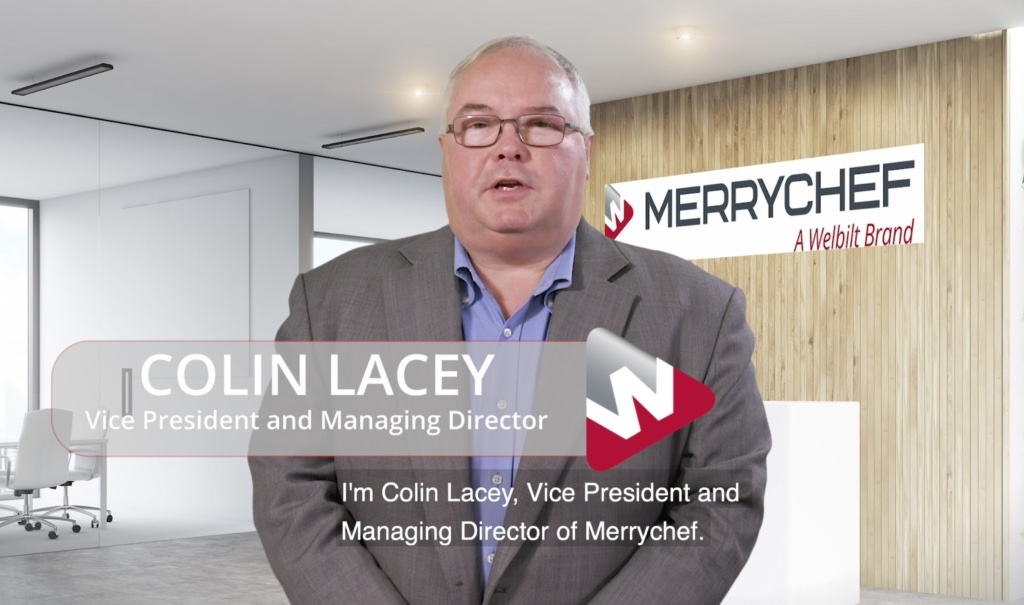
Welbilt Merrychef

Pre-records 

These have been a critical tool during the various lockdowns and the inability for teams to meet and to visit clients.  They have been a lifeline for business whether it is has been generated through Microsoft Teams and or Zoom.  Clients can provide bumpers or we create them.  They are being used in a variety of ways such as blog posts of case studies.  We believe that they’re here to stay as its’s been a way of connecting and sharing information potentially more quickly. 

Editing Costs £300-£600

Events & Conferences 

Traditionally video captured at events and conferences are used in a multitude of ways.  It’s a great way to showcase products and achieves brand awareness and presence. Capturing video footage of stands, keynote speakers, panels, and interviews can be used afterwards in marketing content for website and blogs.

Typical costs range from £1500 — £3000

Evogro Cabinets

Evogro Cabinets

By Blog Post, Promotional, Technology, Uncategorized

Overview 

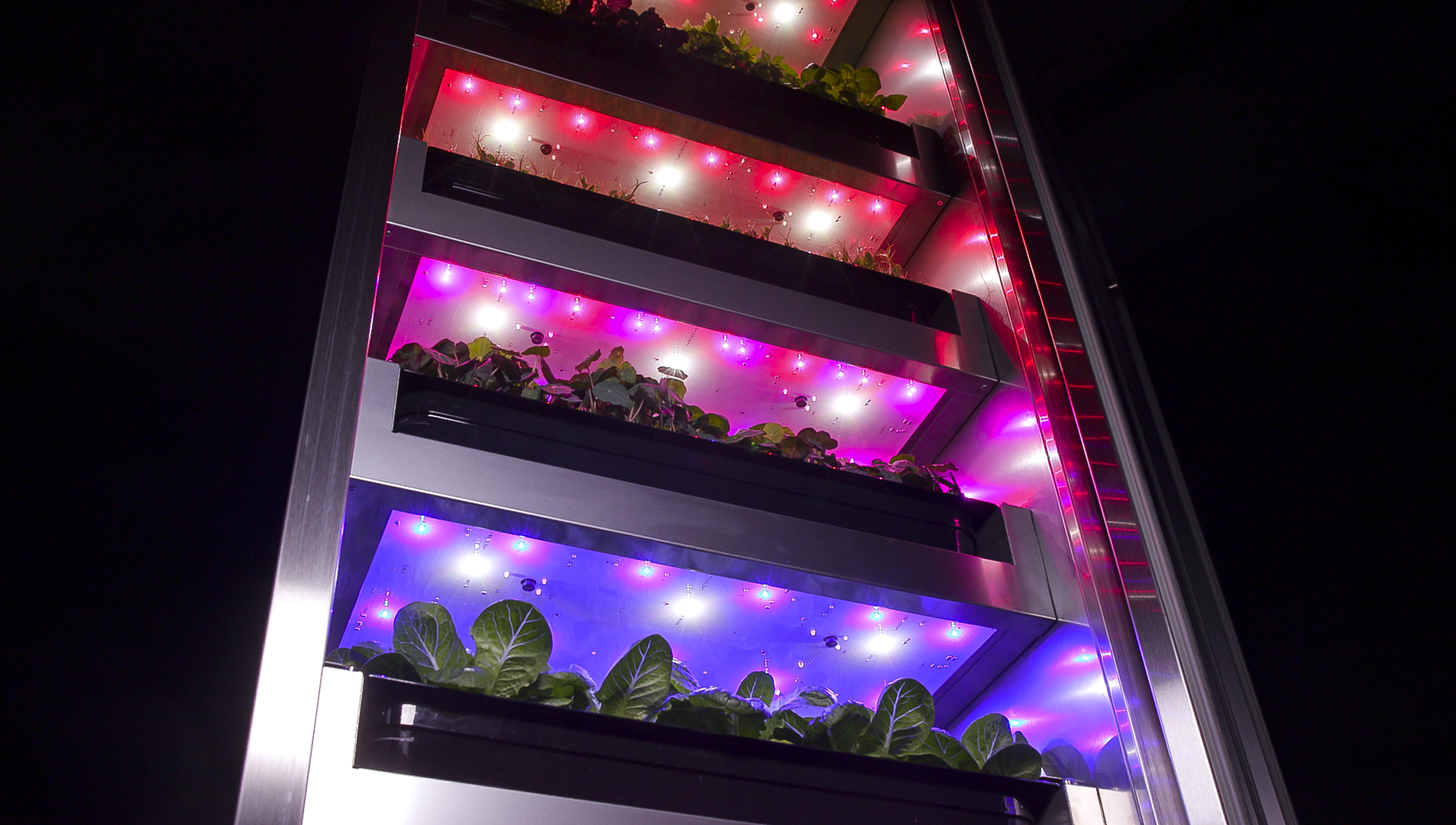
Evogro, is a UK based horticultural technology company that designs, develops and manufactures indoor plant growing systems for chefs. As a long term client Evogro, approached us with their digital brief as a consequence of new cabinet product development. The fresh digital visual content was to be used on their new website, social platforms and other marketing and PR material. 

Brief

The digital visual content Evogro required was for a video and product stills.  Evogro have some of the UK’s leading professional chefs and bartenders working across the hospitality sector as customers. These customers demand the highest standards and service, so therefore, all content needed to display the fantastic design and modern beauty of their newly designed cabinets, featuring lush crops in their prime growing state.

Production 

It was imperative that the timing of the shoot had to coincide with the crops that had been pre-grown as they had to be at the right stage of development to optimise the end result in terms of video and photography.  

In the past the filming of the cabinets had been carried out on location.  This time it was felt that an increased controlled environment was needed to optimise the shoot outcome.  We hired a Kent studio, so as not to be too far away from Evogro’s offices and where the crops had been cultivated.  The cabinets and crops were delivered to the location on the same day of the shoot.   

Once in the studio the crew (3) had to effectively build a black box around a cabinet with enough space to add lighting and the camera.  In addition to reduce unnecessary reflection and to allow for overlapping in the filming.

The entire project was shot on a Canon C300 which was mounted on a Syrp automated slider which allowed us to film sequences repeatedly and with accuracy at any angle.  LED lights with a small amount of diffusion were used to create a contrast and quality that created a dynamic feel.

The challenge of working with highly reflective surfaces was challenging and had to be managed in such a way for the reflections to work aesthetically.  The decision was to light the cabinets in a portable way so that the lighting could be constantly moved around to achieve required results. 

The editing involved using footage and text which was provided and used in a stylish and modern way. 

Outcome 

Our client is pleased with the results and has allowed them to use footage extensively within the new Evogro website. Clips have also been used for social media activity.  The intention will be for Evogro to generate awareness and conversions of these newly designed cabinets.

See our Video Portfolio

GET IN TOUCH
AND GET TO KNOW US
Your Information will never be shared with any third party.
Please enter your email address below to view our rate card
TO VIEW OUR RATE CARD
Please enter your email address below
  We hate spam and never share your details.